
 F&B
F&B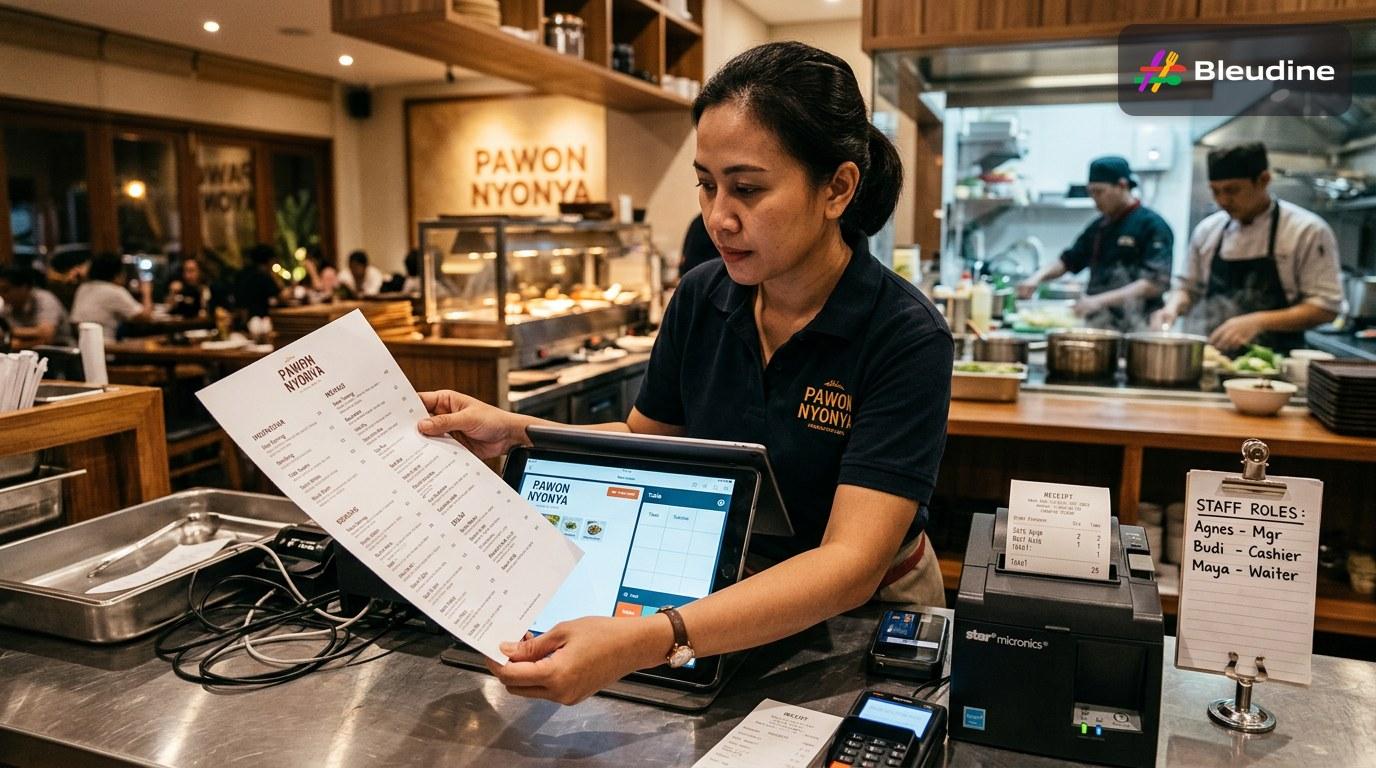
A restaurant POS app rollout works best when menu data is cleaned, staff roles are set, and printers are tested before go-live. For Indonesian outlets, the safest implementation also includes outlet-level setup and short cashier training so dine-in, takeaway, and delivery orders stay accurate from day one.
Bleudine is an F&B POS and management system.
What to prepare before go-live
Why staff setup matters more than screens
A restaurant POS app is no longer just a cashier tool. Industry trend synthesis shows that modern systems now connect orders, inventory, payment methods, and reporting in one workflow, which matters when one outlet must handle dine-in, takeaway, and delivery without confusing the kitchen.
The biggest implementation risk is not the software itself. It is messy setup. According to industry trend synthesis dated 2026-09-09, rollouts often fail when menu items, modifiers, and pricing are not standardized before launch. That is why the first checklist item should be menu cleanup: every item name, add-on, and price must be consistent across branches and channels.
For Indonesian restaurants, rollout planning also needs local operational fit. Industry trend synthesis dated 2026-09-09 highlights QRIS support and compatibility with GoFood and GrabFood workflows as practical requirements in busy markets like Jakarta and Bali. If the cashier flow cannot keep up with those order sources, service delays quickly follow.
Bleudine already supports this kind of preparation. Its outlet setup feature helps merchants organize inventory, orders, and menu items by location. Its staff creation feature helps define who handles orders, tables, and transactions. Its Print Agent staff binding feature adds another layer of control by binding a printer to a specific staff member and session, reducing duplicate printing in high-traffic service periods.
The practical checklist is simple: clean the menu database, define access roles, train supervisors and cashiers in short sessions, test printing, and launch by outlet instead of all at once. Internal product documentation shows that structured outlet setup and staff control reduce confusion during peak service, which is exactly what a restaurant needs during a system change.
Key facts
- Modern restaurant POS systems now connect orders, inventory, payment methods, and reporting in one workflow. (Industry trend synthesis, 2026)
- Rollouts often fail when menu items, modifiers, and pricing are not standardized before go-live. (Industry trend synthesis, 2026)
- In Indonesia, QRIS support and delivery-channel compatibility are becoming practical requirements in Jakarta and Bali. (Industry trend synthesis, 2026)
- Bleudine outlet setup lets merchants manage inventory, orders, and menu items by location. (Bleudine product knowledge base)
- Bleudine Print Agent staff binding helps prevent duplicate printing by binding a printer to a specific staff member and session. (Bleudine product knowledge base)
Frequently asked questions
What should I prepare before installing a restaurant POS app?
Start with menu cleanup, pricing standardization, role assignment, and printer testing. These steps reduce go-live confusion and help the system match real restaurant operations from the first day.
Why do POS implementations fail in restaurants?
They usually fail because the menu database is messy, staff are not trained, or access roles are unclear. The software may be fine, but the workflow is not ready.
How should Indonesian restaurants roll out a cashier app?
Use a phased rollout by outlet, train cashiers and supervisors in short sessions, and confirm the app fits QRIS and delivery workflows. That approach reduces disruption during service hours.
What features matter most in a restaurant POS app?
Menu management, role-based access, order handling, inventory visibility, and stable printing are the core features. For Indonesia, payment and delivery compatibility matter too.
How does Bleudine help with implementation?
Bleudine supports outlet setup, staff creation, and printer-session binding. Those features help restaurants organize the rollout before go-live and keep operations controlled during busy shifts.
Should I train staff before or after go-live?
Before go-live. Short training sessions for cashiers and supervisors are one of the highest-value preparation steps because they prevent errors when the outlet starts using the new workflow.